PhasOverlay 1.3.0 Preview #2
A bigger look at 1.3.0
MAP PROGRESS: 17/17
Hi again, over the past few weeks I have been working on adding new maps to the overlay, refining the maps UI and just overall improving the quality of the overlay. Today I would like to show off some more of the work I’ve done for PhasOverlay and the changes you should expect.
To begin, this is what the brand new map menu looks like!
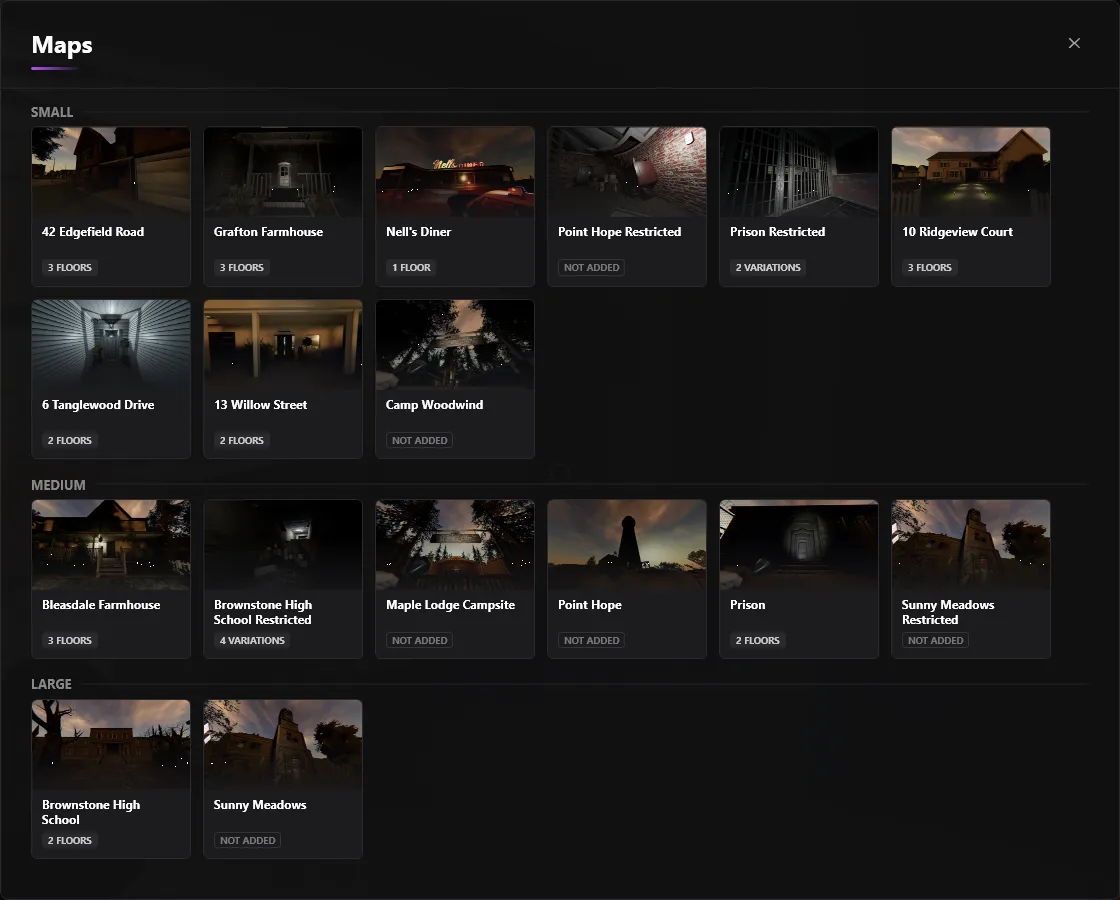
As you can see, it looks a lot more refined and hopefully more readable than the original design. Please keep in mind not all the maps are finished hence why some maps say not added, but they will all be finished by the time the update launches. All the maps are broken down into Small, Medium and Large with indicators on how many floors each have. Diving into the map viewer its self, this is what it now looks like.
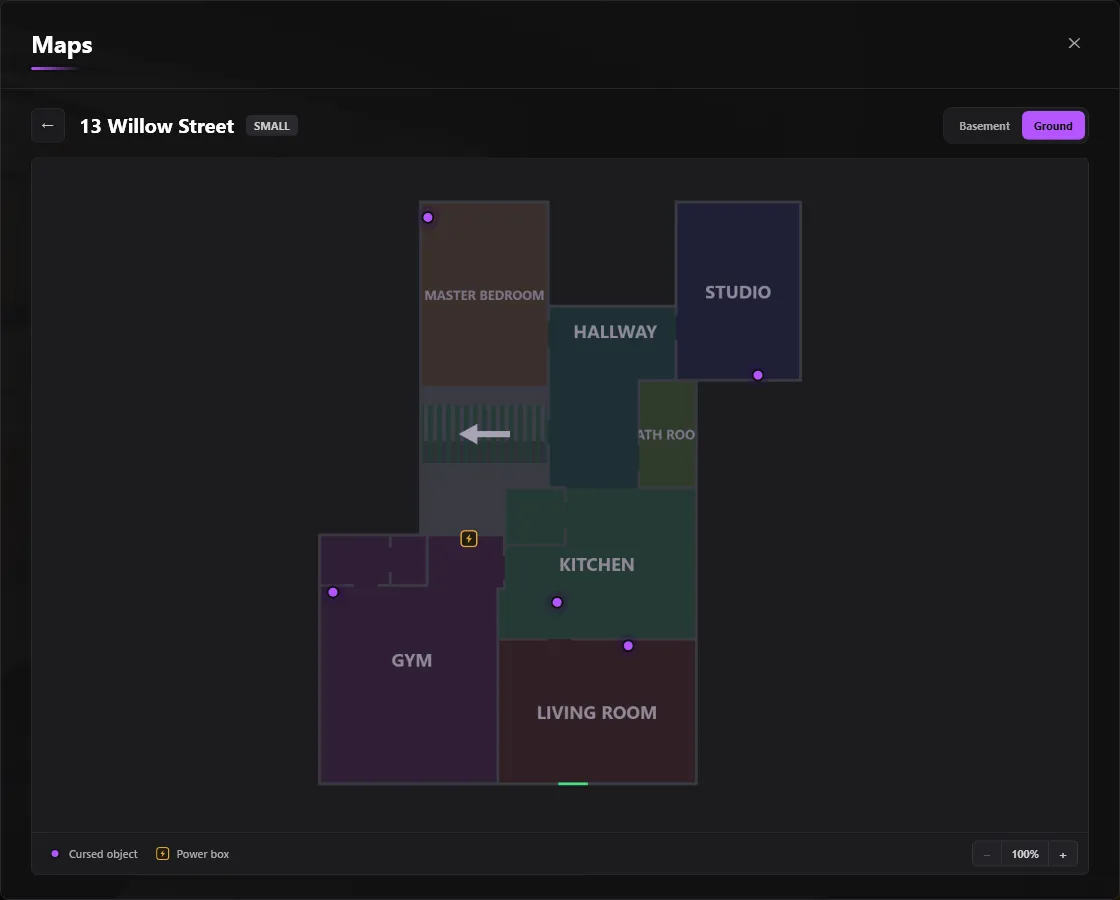
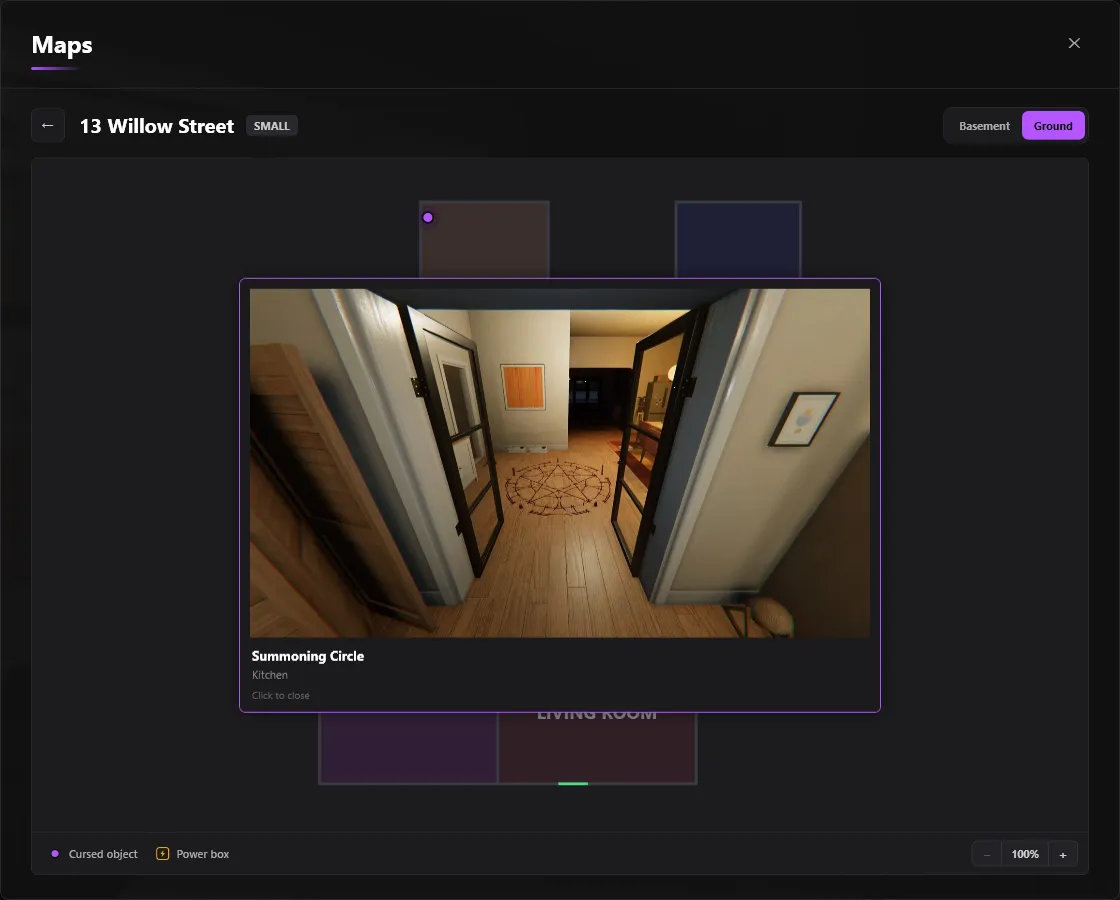
As you can see, it almost looks the same as the original design but it has just been given a bit of a glow up with improved UI and better zooming. It shows all the cursed objects, the exit doors as well as the power boxes. Do keep in mind the current icons are very much placeholders, they are not finished and they will be replaced before the update launches. When you click on a cursed object, you will be greeted with an image of the cursed object in the real map so you are able to locate the cursed object easier, as shown below.
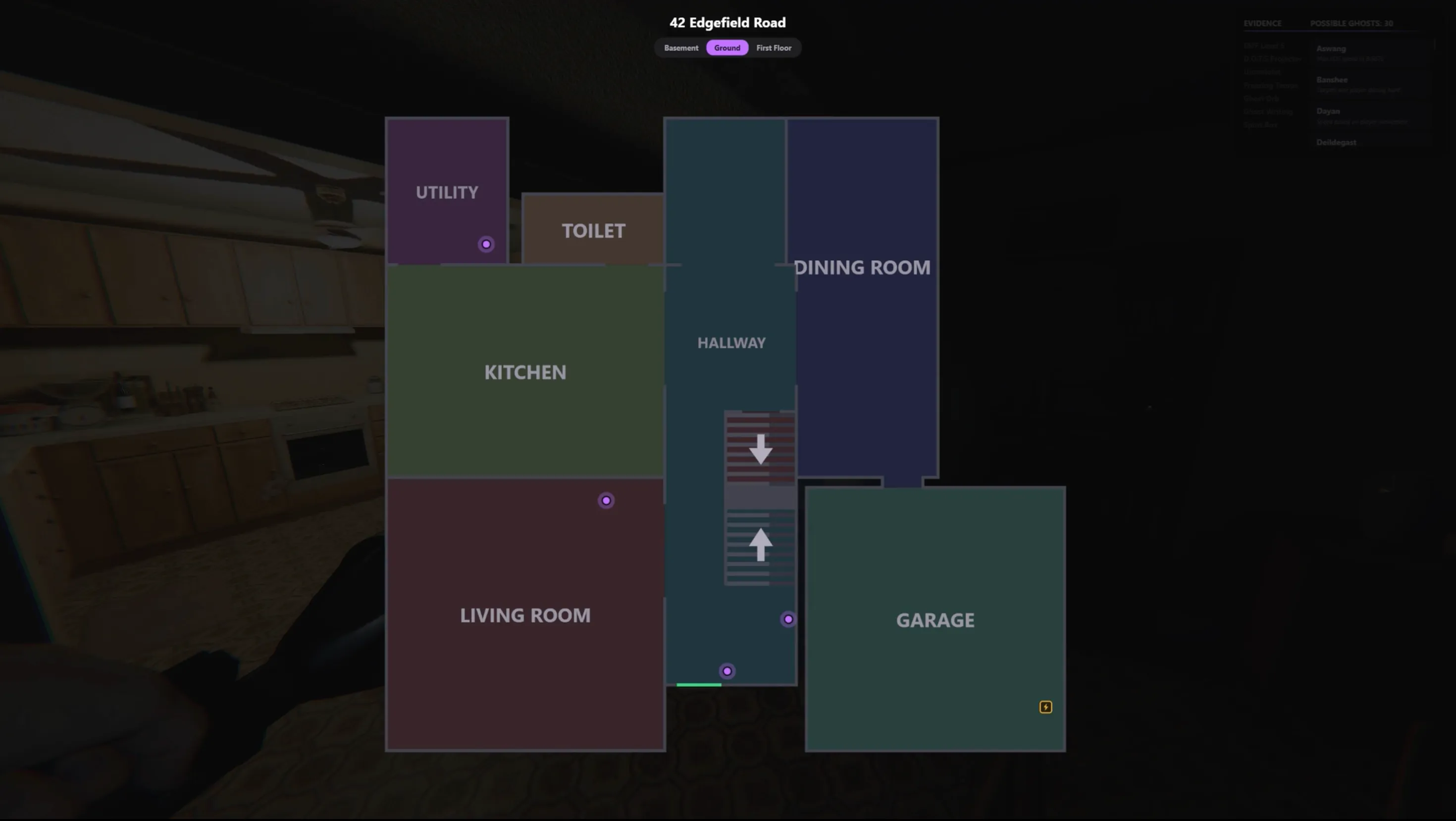
A feature that will be supported is the ability to hold M (default) to overlay a 2D overview of the map over your screen. This will allow you to check where a cursed object is or a power box is without having to tab out to the overlay, nice and convenient!
That’s really it when it comes to everything coming in the maps section of the update. I’ve wanted to add maps for a long time but just had trouble with getting started on making them. If you’re curious as to how it works I take the top down view of the map in Phasmophobia from the van, overlay it and trace the walls before labelling the rooms and doors. The maps may not be 1 to 1 accurate, but they’re accurate enough. I hope to eventually add support for Yokai tests (like sound distance) and other stuff, but that wouldn’t come anytime soon. As I write this, I have completed 11/17 maps, and I’m slightly behind due to education starting back up, so I’ve been mainly working on the overlay between Thursday and Sunday. So PLEASE bare with here.
In terms of non map related updates, I have reworked the module system. Before It was quite simple and confusing at the same time, and it wasn’t quite as customisable as I wanted it to be. I had been meaning to fix it for a while, so I’m happy it’s finally done. This is what it looks like.
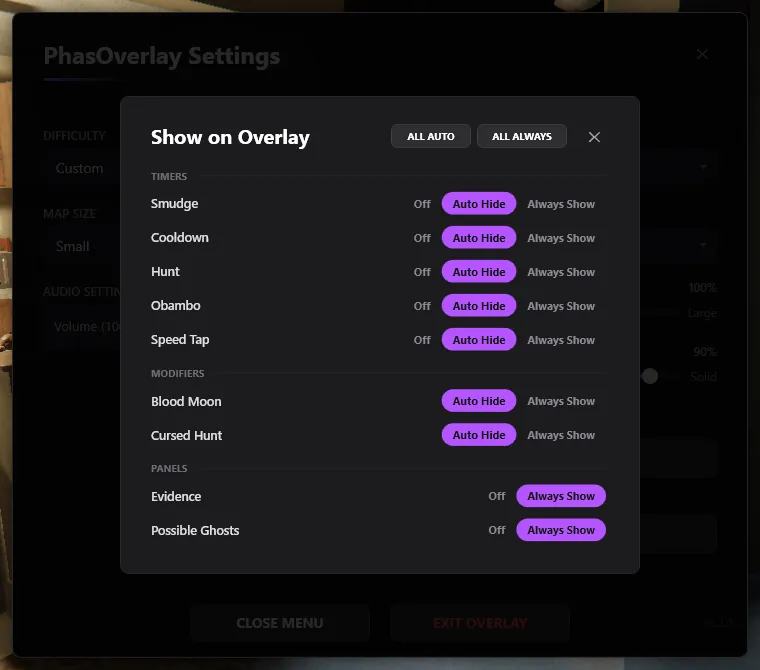
As you can see, in the new menu, you can individually adjust each overlay element between 3 different states (with exceptions). The states are Off, Auto Hide and Always Show, with the default being All Auto Hide. This lets you fine tune the overlay to your preferences, more than the old system could ever allow for. The exception to the 3 state rule is the Evidence/Possible Ghost window. You can either have that Off or Always Show. The reason for this is because auto hide wouldn’t make any sense for this menu, it exists to let you see your evidence, and see the possible ghosts. Auto hiding would make that redundant. Do keep in mind you can still hide that menu temporarily by just pressing the dedicated hotkey.
I have also added a new audio indicator for when a timer is stopped or when it just naturally finished. It basically just helps you distinguish what has just happened instead of having the same audio indicator for LITERALLY EVERYTHING. I may expand this in the future for Obambo timers, but I don’t want it to become convoluted.
Beyond that, the overlay will pull map data from PhasOverlay-data so I can continue to improve the quality of the maps overtime without having to push a new version each time, so expect them to get better as time goes on. (but they’ll be pretty damn good at launch either way)
And that wraps up Preview 2! I very much hope to get this update out soon as it’s really cool, and I’m aiming to get it out within the next month or so. I have to finish the maps (currently 11/17), polish and fix any bugs I encounter and sit with and use the overlay for a bit to make sure nothing slips through. And also finish the PhasOverlay Web version. Wish me luck and thanks for reading!